


Frequently Asked Questions
Explore our FAQs to find answers to your questions about the AI Work Item Assistant.
Why do I not see the AI Work Item Assistant?
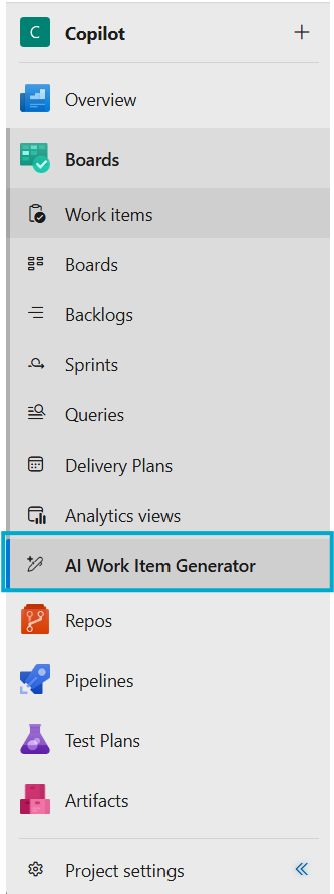
If you don't see the 'AI Work Item Generator' feature in your ADO Boards section, please contact your ADO project administrator.
How does the AI Work Item Assistant Benefit Product Managers or ADO Users?
Product Managers/ADO Users can utilize the AI Work Item Assistant to translate product features and narratives into high-quality ADO items. This process is streamlined and efficient, saving considerable time and resources.
How does the AI Work Item Assistant improve the quality of work items?
By leveraging LLMs, the tool ensures that work items are detailed, clear, and aligned with project objectives. This leads to higher quality outputs and more effective project management.
Can the AI Work Item Assistant integrate with existing workflows?
Yes, it is designed to seamlessly integrate with existing ADO workflows, enhancing and not disrupting current processes.
Is the tool available for all ADO users?
The AI Work Item Assistant can now be found publicly in the Marketplace. To use it, please have your ADO Organization administrator install the extension. If 'AI Work Item Generator' does not appear in your ADO's left navigation menu, reach out to your organization's ADO admin.
What is the AI Work Item Assistant?
As creating high-quality work items based on project requirements, user feedback, and communications from multiple sources become increasingly time-consuming, we have developed the AI Work Item Assistant to help you save time in crafting these items. Whether you are creating features and user stories to address feedback or breaking down user stories into tasks, this new extension facilitates the easy creation of high-quality work items from ideas, feedback, project documents, or existing items
Who can benefit from using the AI Work Item Assistant?
While primarily designed for Product Managers, any team member involved in product development, feature planning, and narrative creation can benefit from this tool.
Is there a learning curve to using the AI Work Item Assistant?
The tool is designed for ease of use, but some initial familiarization may be required to fully leverage its capabilities. Resources and support are available to assist new users.
Will there be updates or improvements to the tool?
Continuous improvements and updates are planned based on user feedback and evolving needs.
How can I provide feedback or suggestions for the tool?
Users can share their feedback through the thumbs-up 👍and thumbs-down 👎icons or by using the feedback button available on the extension pages or the Support & Feedback page.
How do I create features, user stories or other work items from ideas, user feedback, or documents?
Go to the AI Work Item Generator under Boards and generate new ideas and features/user stories/other work items with AI based on uploaded user feedback, project documents, and more.
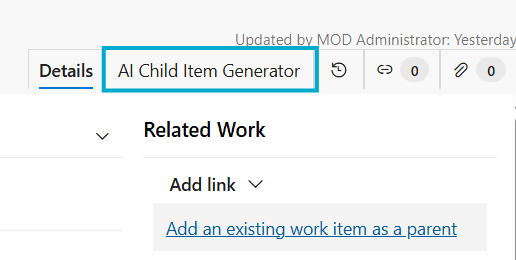
Create Child Items: User Stories, Tasks, Test Cases
The AI Child Item Generator tab in the work item template page will use AI to suggest and create the first draft for child items based on the content of the parent.
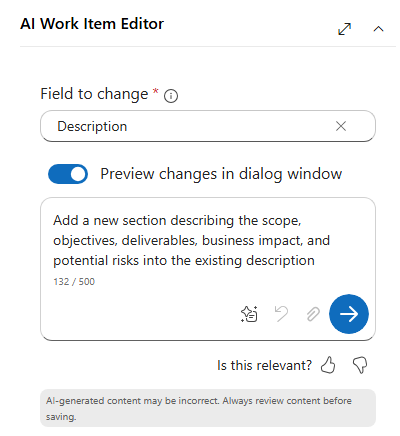
Enhance Existing Items
A new widget has appeared in the work item form. Use this to explain what changes you want AI to make or use some pre-defined instructions.
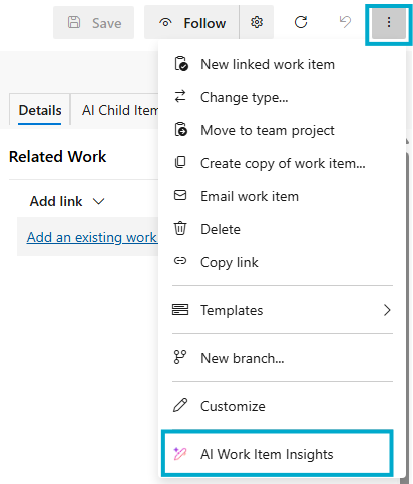
AI Work Item Insights
Ask natural‑language questions about a work item; summarize discussions, highlight decisions and risks, and track progress.
Common Errors FAQ
What should I do if the AI Work Item Assistant extension fails to generate work items?
If you encounter issues generating work items,
1. Ensure that you are using the latest version of the AI Work Item Assistant extension.
2. Please check with your admin if there are any ongoing downtime or issues with Azure OpenAI Services.
3. Monitor the Azure status page or contact the azure support team for updates.
What if the issue persists after checking the common factors mentioned above?
If you continue to experience issues, kindly contact us through the Support & Feedback page. We are dedicated to addressing your concerns promptly and effectively.
Still having trouble? We are here for you!
To submit an issue ticket or reach out to our support team, please click the link below. We are available to help you with any challenges you face while utilizing the AI Work Item Assistant extension.
Get Help